Single Sign-On Configurations (Legacy)
This document covers TestOps Legacy version only.
Katalon TestOps offers users the Ultimate Plan to manage logins with Single Sign-On (SSO) for a more personalized and secure connection. This guide shows how to set up SSO for your enterprise connection.
You must be an Owner or Admin of your Organization.
You need to subscribe to Katalon TestOps Ultimate plan. See: Katalon Plans.
You need to configure a Custom Domain. Refer the following topic for further information: Configure a Custom Domain for an Organization.
Configure an identity provider (IdP)
To configure SSO in Katalon TestOps, you need to generate metadata by setting up an identity provider (IdP).
Katalon supports all SAML IdPs that conform to the SAML 2.0 protocol. You can refer to these 3 platform to configure your IdP:
- Okta. To learn more about Okta, see: Okta.
- Auth0. To learn more about Auth0, see: Auth0.
- Ping. To learn more about Ping, see: Ping.
To set up the IdP, input the bellow values into your IdP settings. Refer to the guidelines provided by the specific platform or IdP service you are integrating with for detailed instructions.
-
Single sign-on SSO URL:
https://login.katalon.com/realms/katalon/broker/{custom-domain}/endpoint- Example: If you've set up a Custom Domain such as
testops.katalon.io, the SSO URL will be:https://login.katalon.com/realms/katalon/broker/testops/endpoint
- Example: If you've set up a Custom Domain such as
-
SP Entity ID:
https://login.katalon.com/realms/katalon/broker/{custom-domain}/endpoint- Example: If you've set up a Custom Domain such as
testops.katalon.io, the SP Entity ID will be:https://login.katalon.com/realms/katalon/broker/testops/endpoint
- Example: If you've set up a Custom Domain such as
-
Attribute statement:
Email
Note:
- All values for the above configurations are case-sensitive.
{custom-domain}is your Custom Domain that you have configured. See: Custom Domain Configurations.
Metadata of the IdP is usually represented in the form of an XML file and typically provided by the IdP itself. Your metadata is then automatically encrypted in the Katalon database.
Configure Single Sign-On
You have configured an identity provider for SSO in Katalon TestOps, see above: Configure identity provider.
As an Owner or Admin, you can configure SSO by following these steps:
- On the Account admin page, select the Security section on the left bar.
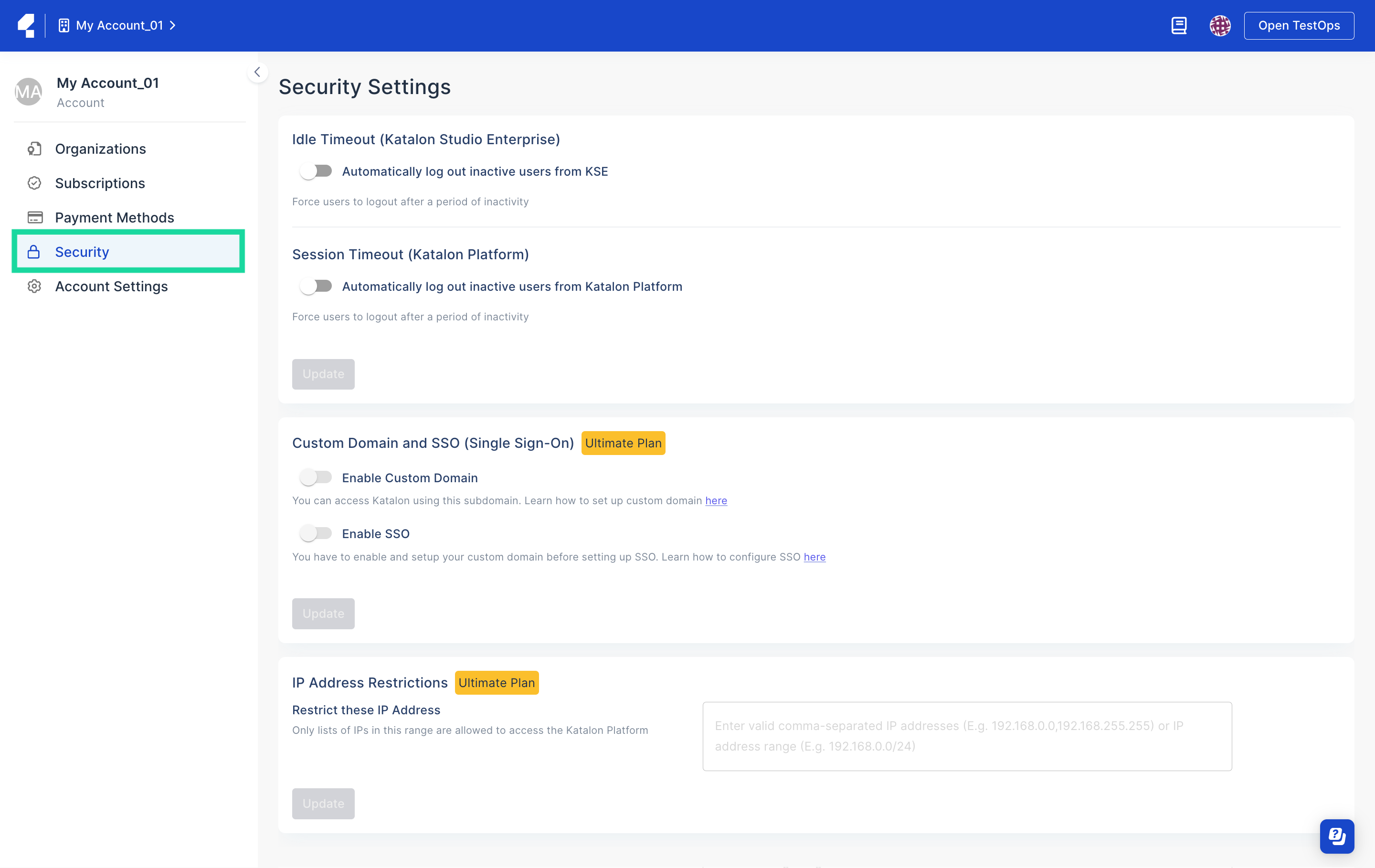
- The Security Settings page displays. Scroll down to the Custom Domain and SSO (Single Sign-On) section.
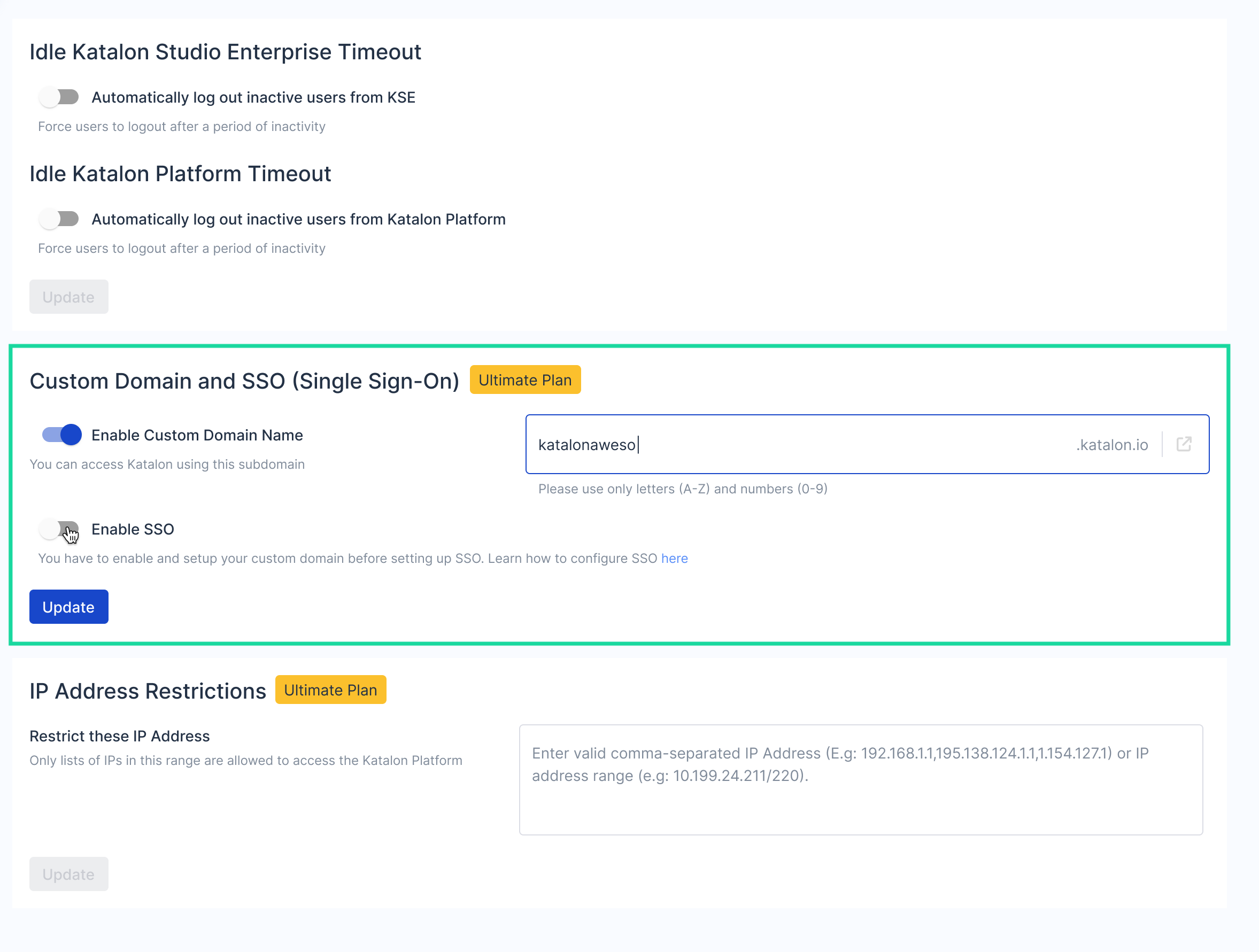
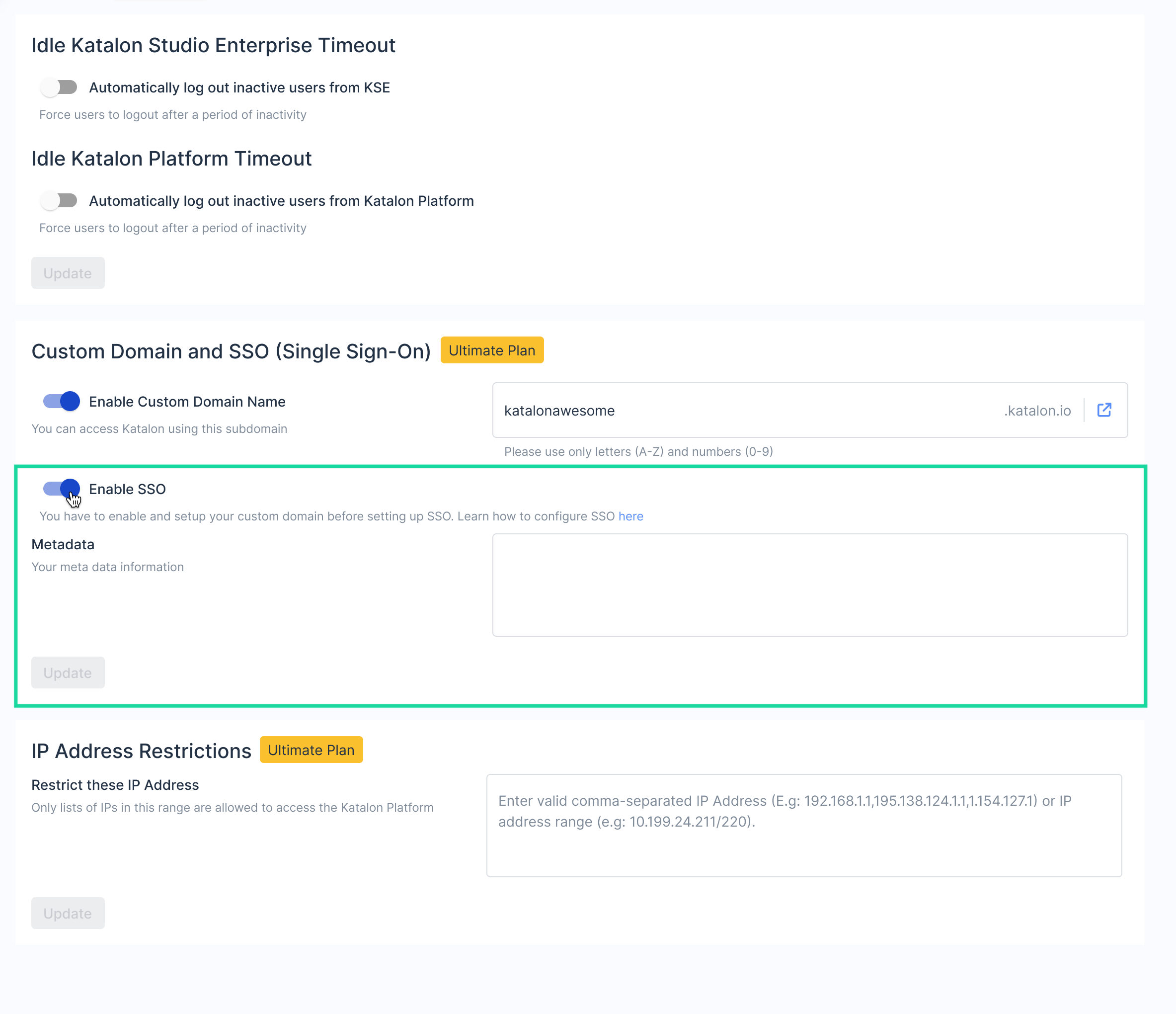
- Toggled on Enable SSO.
The metadata information text box appears.
Once you have successfully set up your SSO Settings, the login settings for all existing users is set to enable login with SSO and disable login with username/password by default.
Enable SSO for new users and existing users
After configuring SSO, you can enable SSO for new users when inviting them to your Organization.
You can also edit the login settings for the existing users of your Organization.
To learn more about User Management in TestOps, refer to this guide: User Management.
For a new user
To enable SSO for a new user, follow these steps:
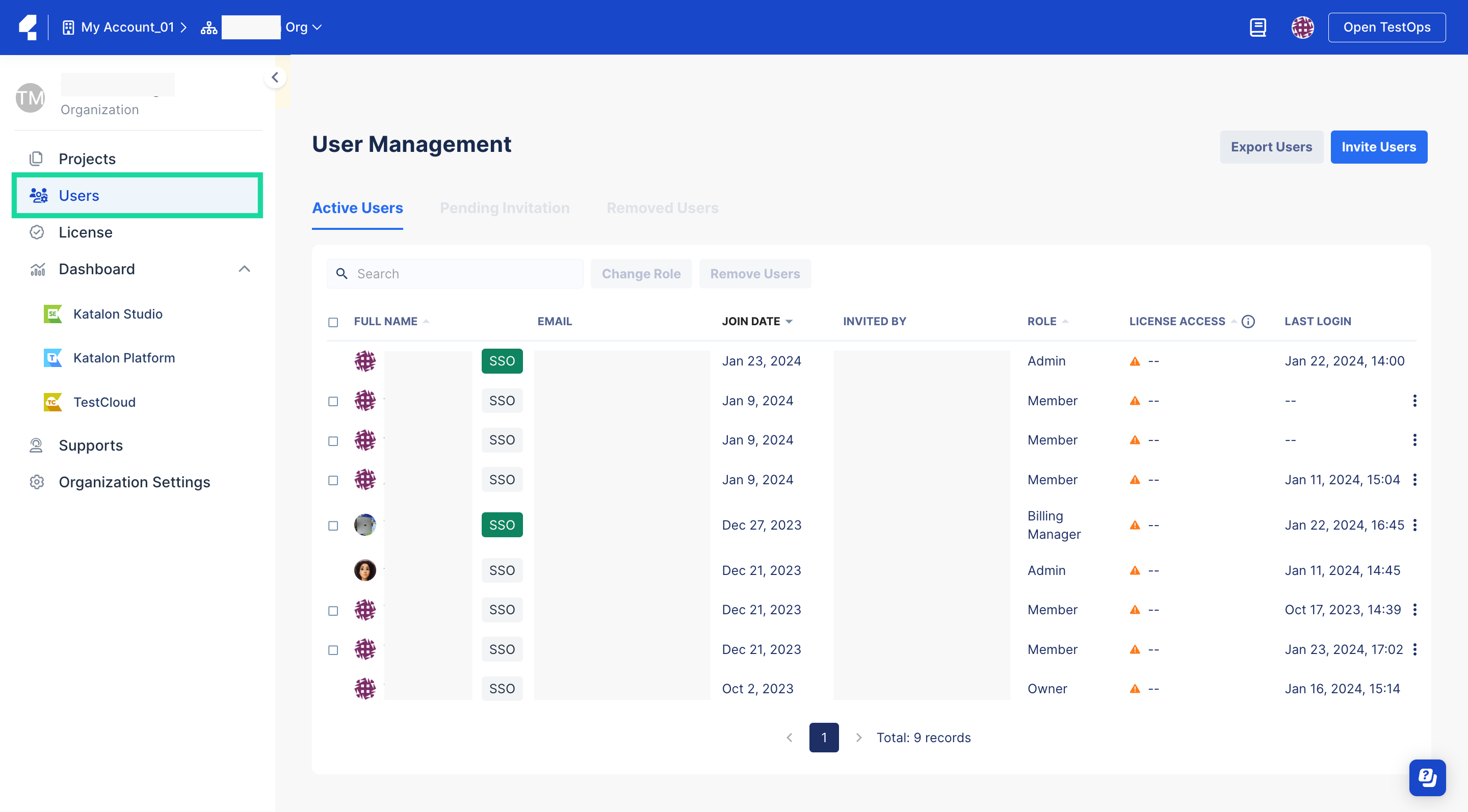
- Go to your Organization, select Users section.The User Management page appears.
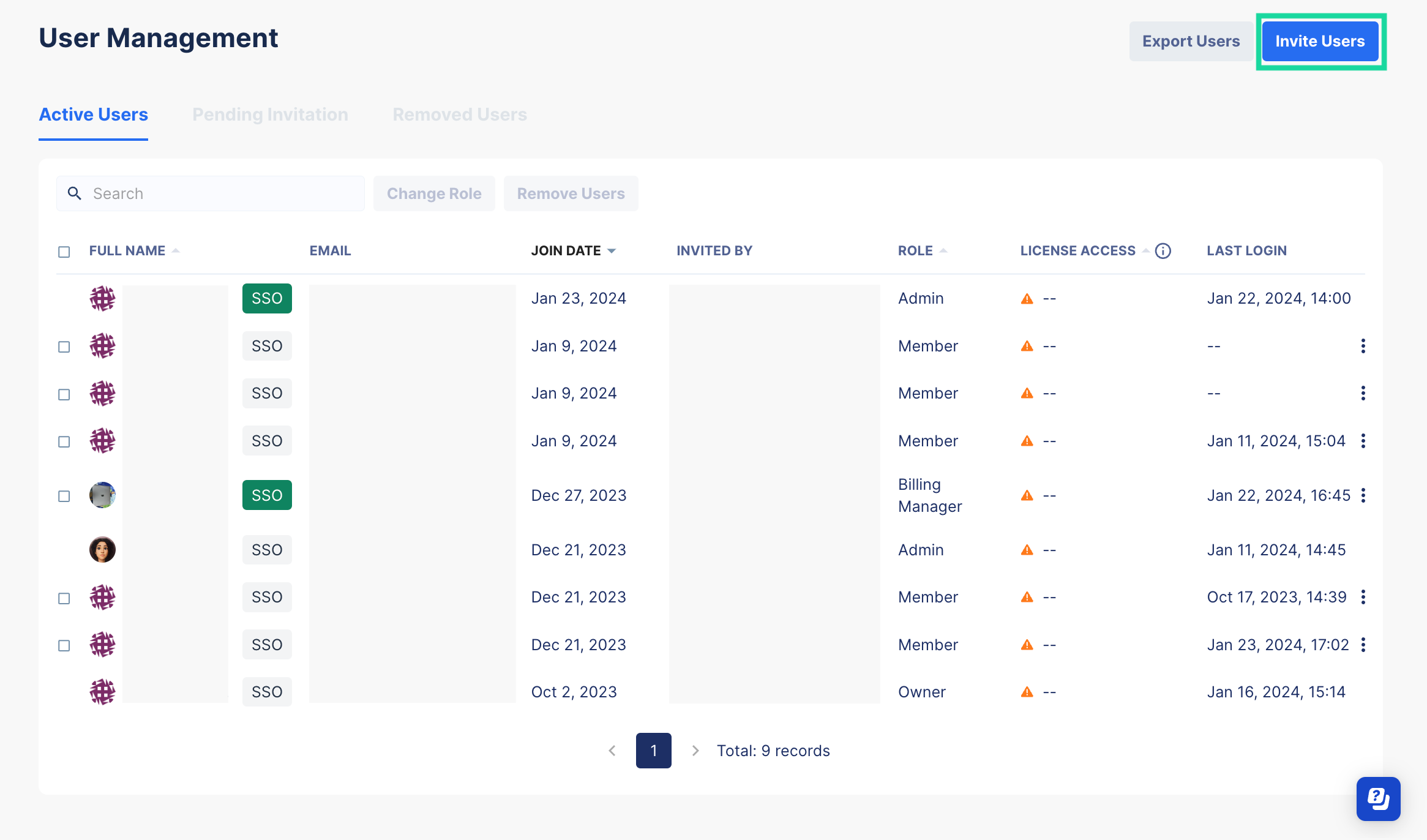
- On the top-right corner of the User Management page, click on the Invite User button.
- In the displayed Invite Users to Organization window, insert the new user's email address.
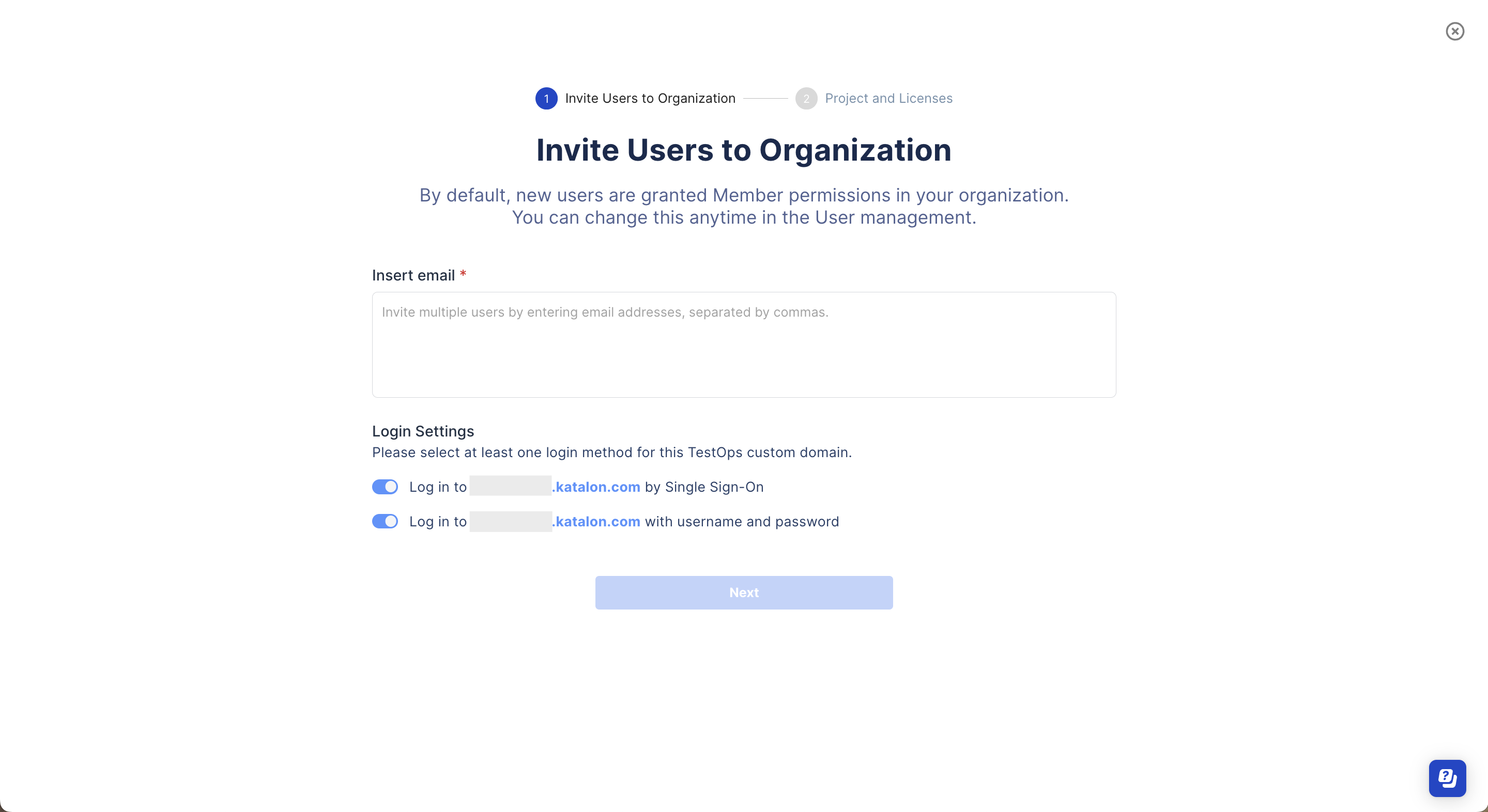
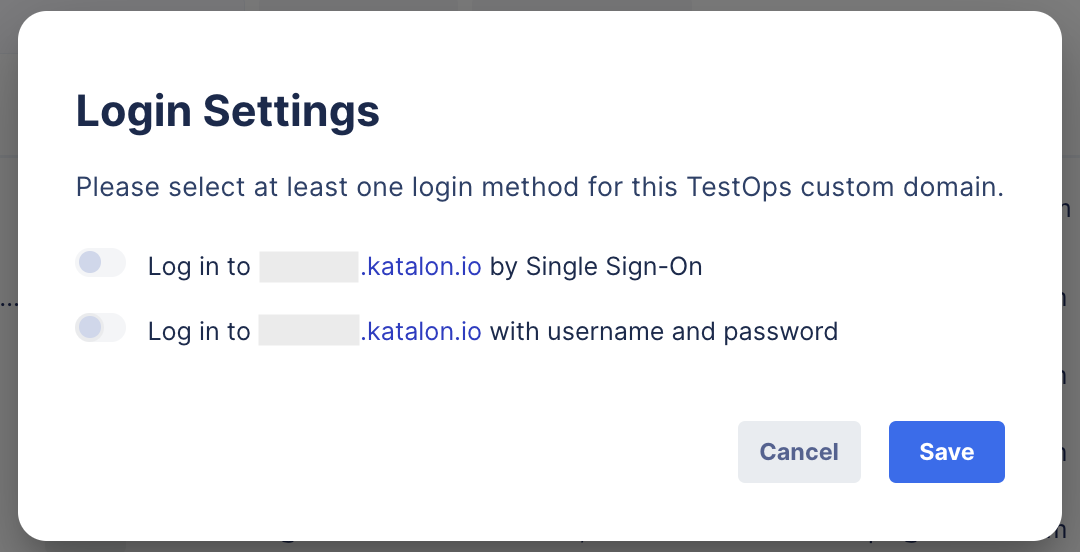
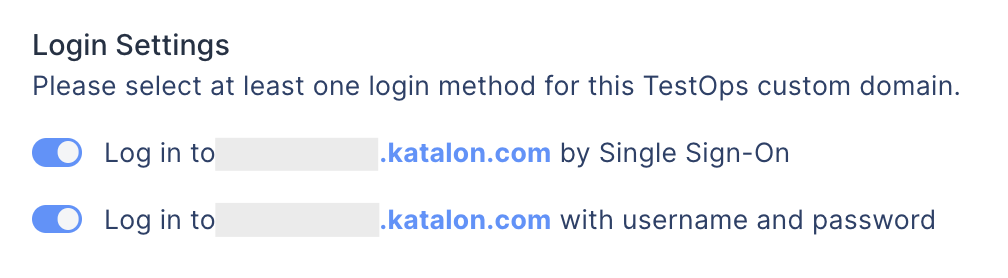
- In the Login Settings section, toggle on the Log in to [yourcustomdomain.katalon.com] by Single Sign-On option.You can select both options, then users can log in to the custom domain by both SSO and username and password.
After a new user is invited to the organization, they must first sign in with their username and password to accept the invitation. Then, they will be able to use SSO.
For an existing user
To enable SSO for an existing user, follow these steps:
- Go to your Organization, select Users section.The User Management page appears.
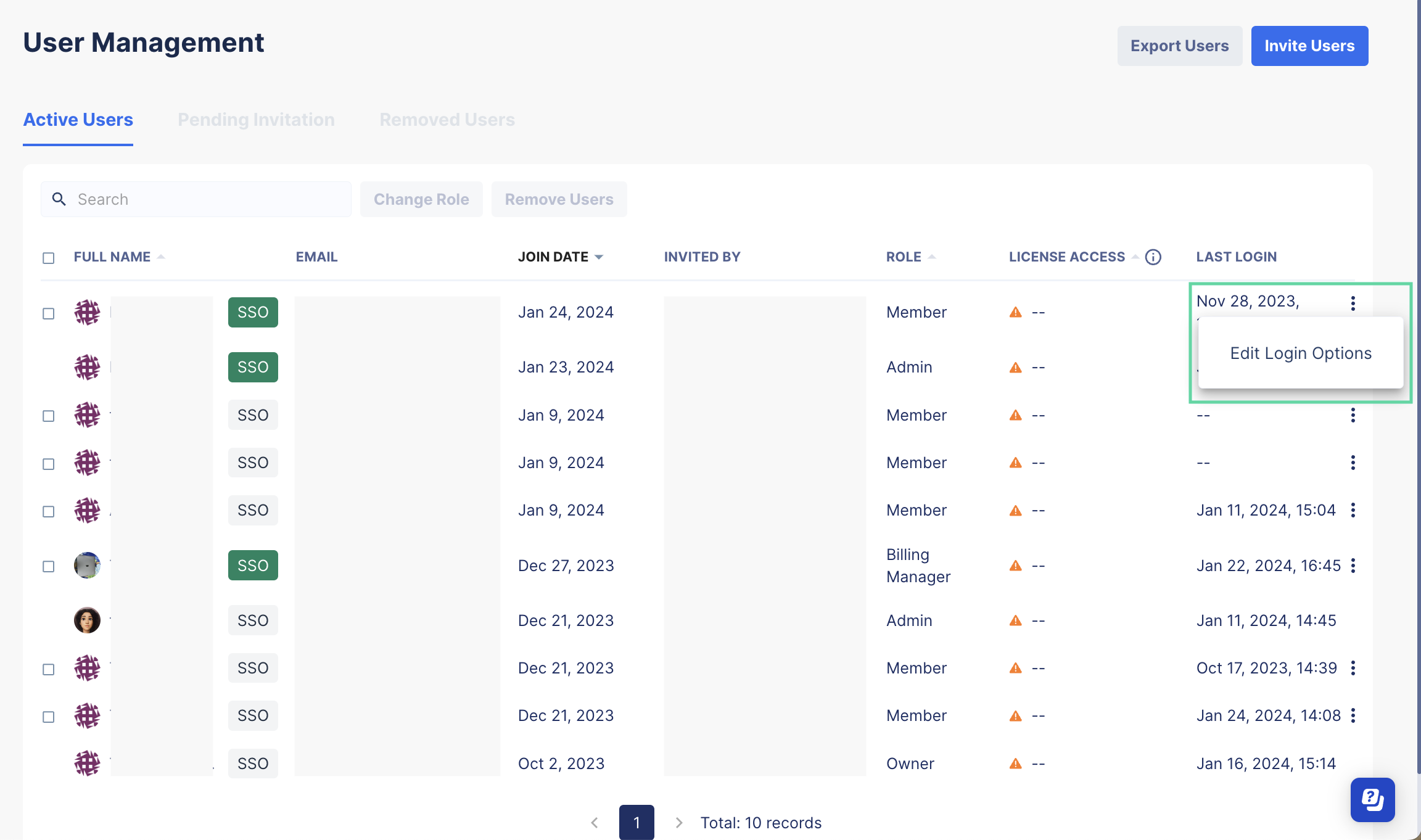
- In the Active Users tab, navigate to a user's row, click on the three dots icon, and select Edit Login Options.
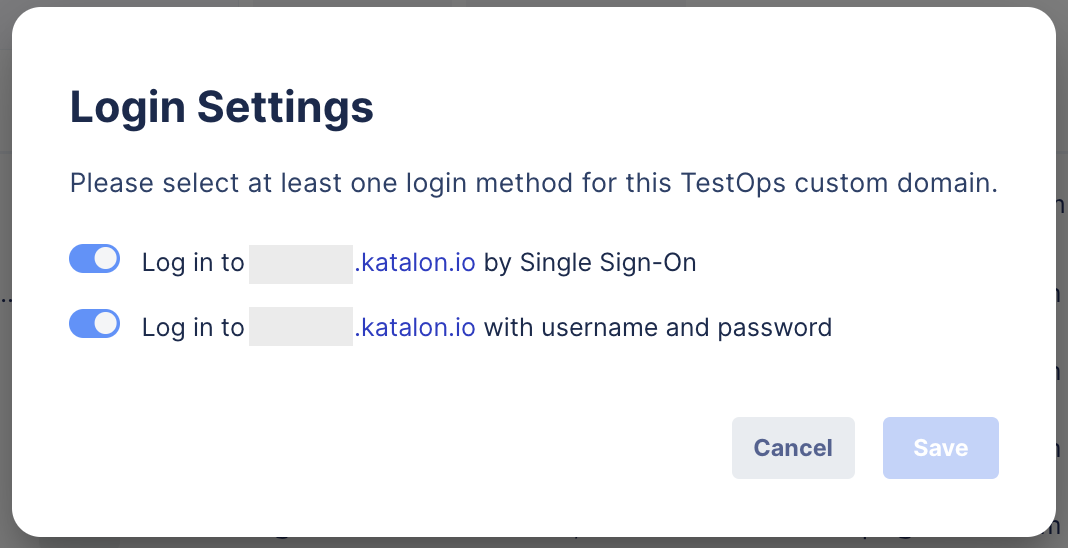
- In the Login Settings dialog, toggle on the Log in to [yourcustomdomain.katalon.io] by Single Sign-On option.You can select both options, then users can log in to the custom domain by both SSO and username and password.
- If the selected user already has a pending SSO invitation, the pop-up will display the invitation link. You can copy this link to send to the user.

- If the selected user already has a pending SSO invitation, the pop-up will display the invitation link. You can copy this link to send to the user.
A request email is then sent to the selected user. To learn how to enable SSO as a user, see: Enable SSO as a user.
Users now can log in to the custom domain with SSO.
View SSO invitation status
To view the SSO invitation status, go to User Management > Active Users.
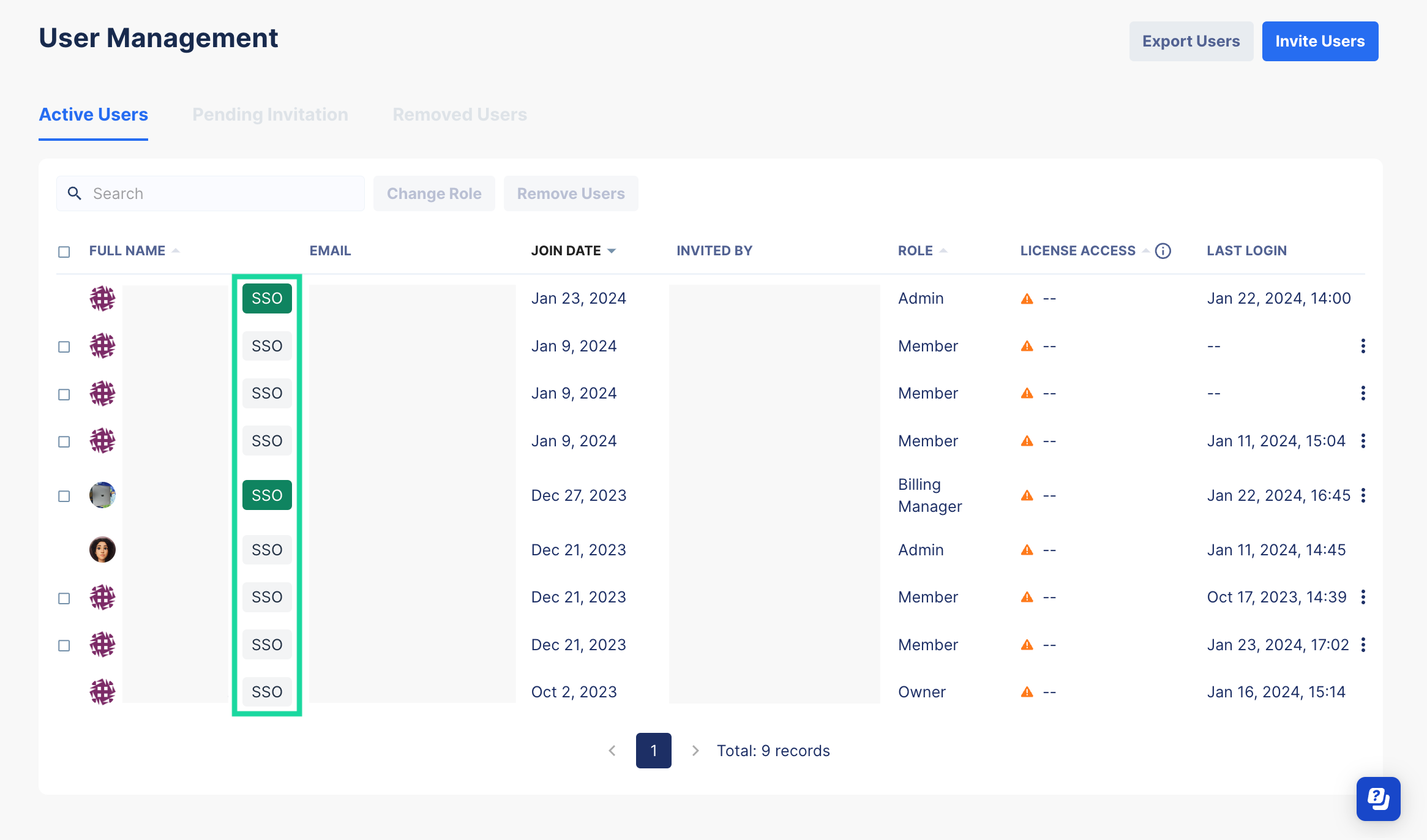
Green SSO tag: This user has enabled SSO as they have accepted the SSO request.
Grey SSO tag: This user has not enabled SSO as they have not yet responded to the SSO request.
Enable SSO as a user
If you are a new user, you must first accept the invitation to join an Organization. Then you will receive the SSO request email.
Follow these steps to accept the request to enable SSO.
- Go to your email and find the [Katalon TestOps] Verify Single Sign-On (SSO) authentication email, then click Click here to confirm in the email.
You will be redirected to Katalon TestOps and see the below request.
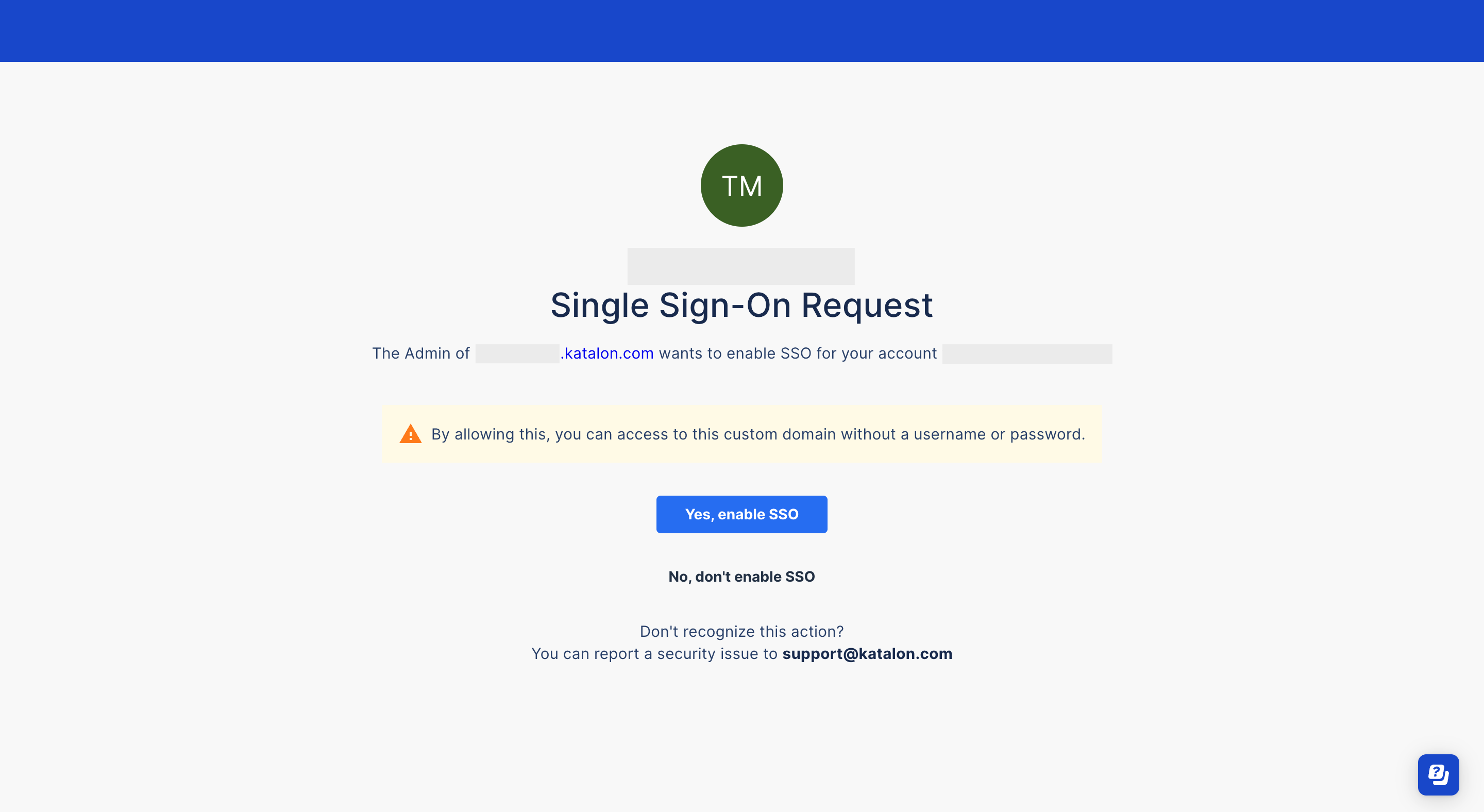
Log in to Katalon Studio with SSO
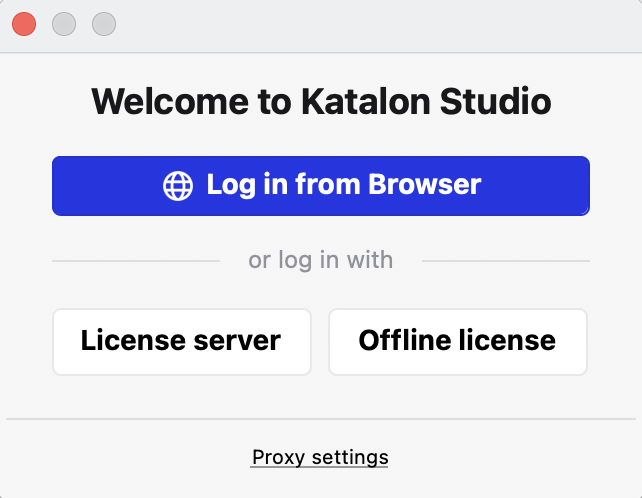
- Open your Katalon Studio. The Welcome to Katalon Studio dialog appears. Select Log in from Browser.
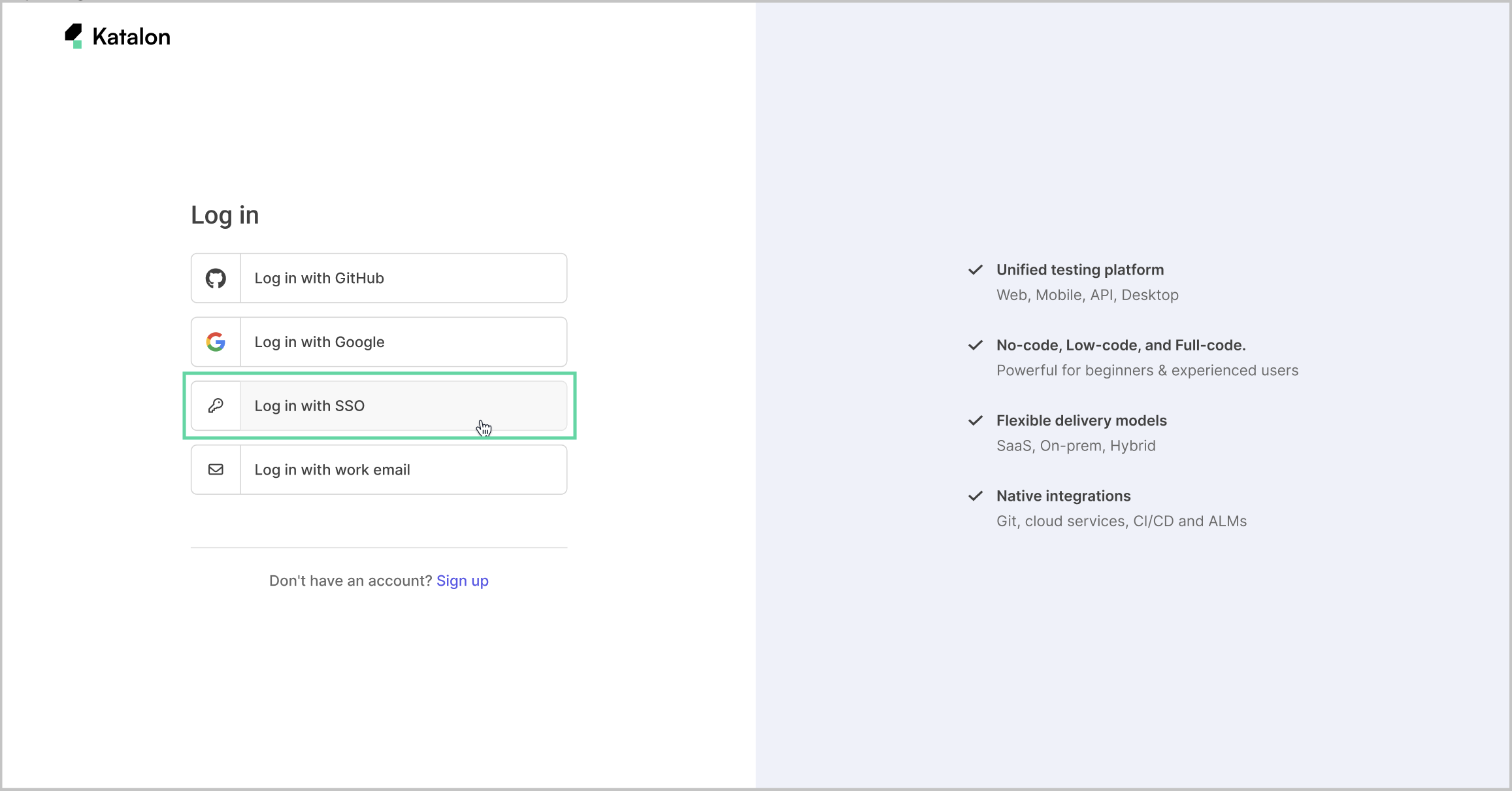
- You are redirected to Katalon login page. Select Log in with SSO.
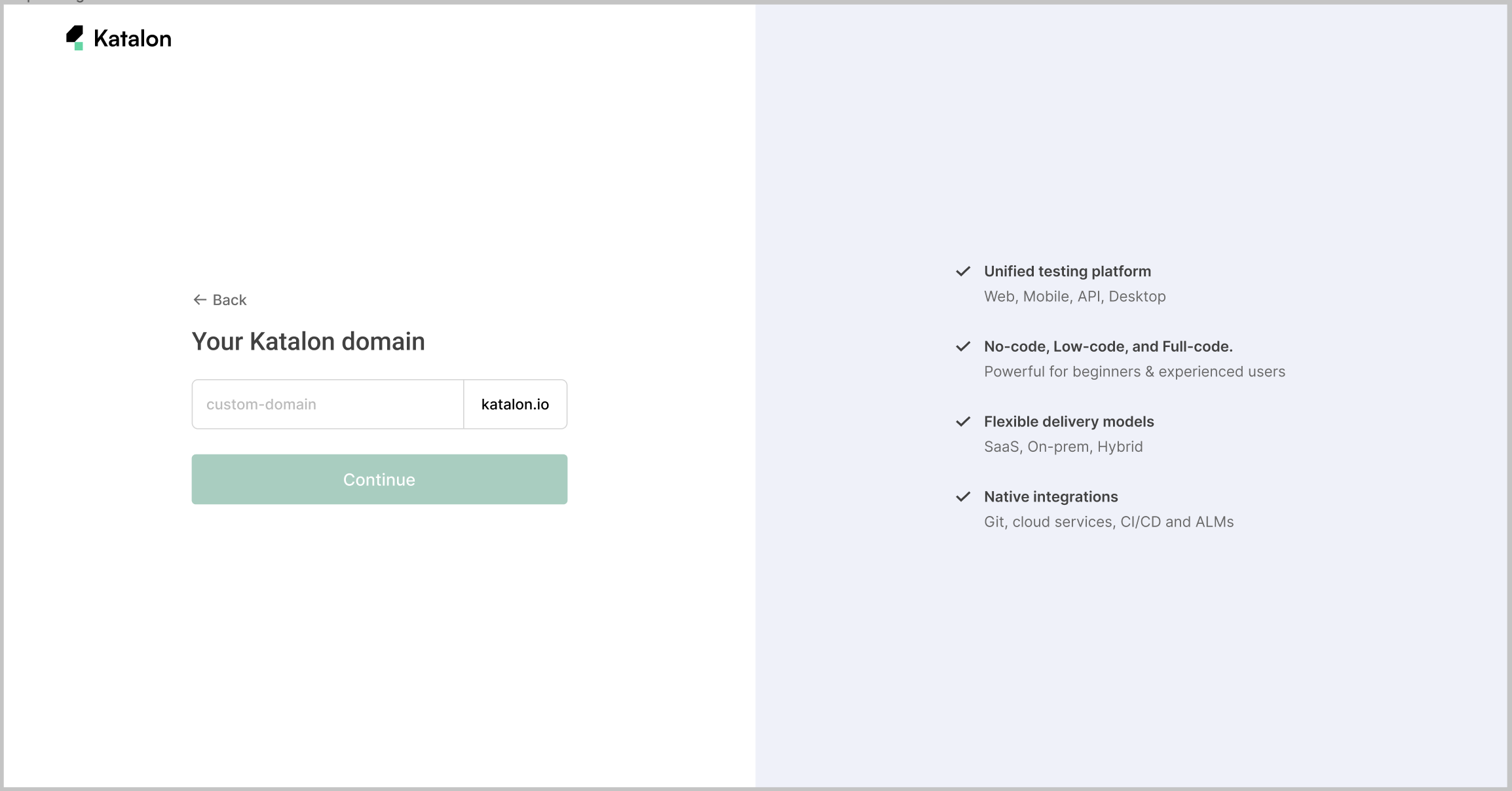
- Enter your custom domain, then click Continue.
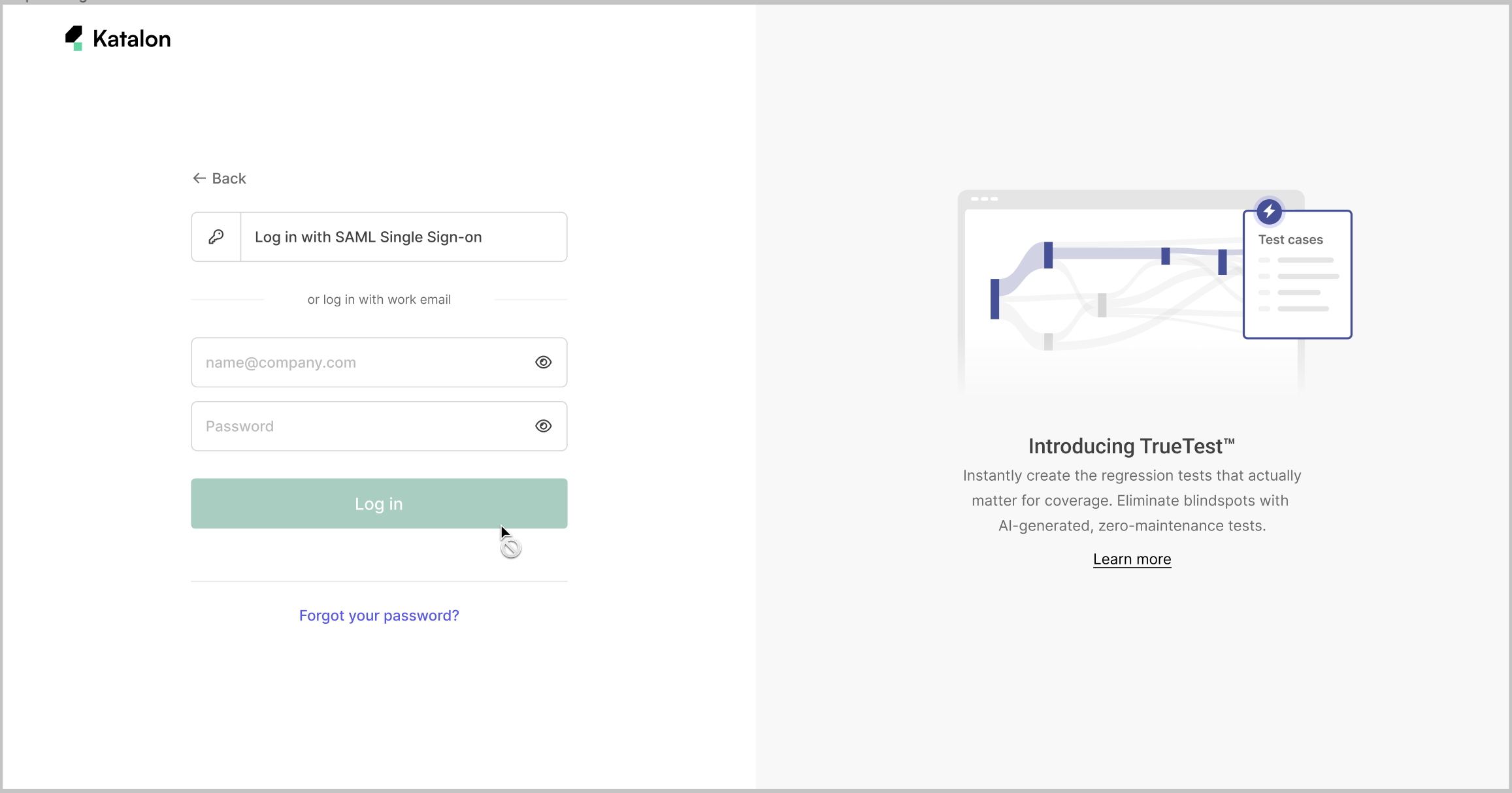
- Depending on the login option set by your Owner or Admin, log in either with SSO or with your username and password, then click Log in.Note:
- You can only use the login option that is set by your Owner or Admin.
Revoke pending SSO invitations
As an Owner or Admin of your Organization, you can revoke pending SSO invitations.
For new users
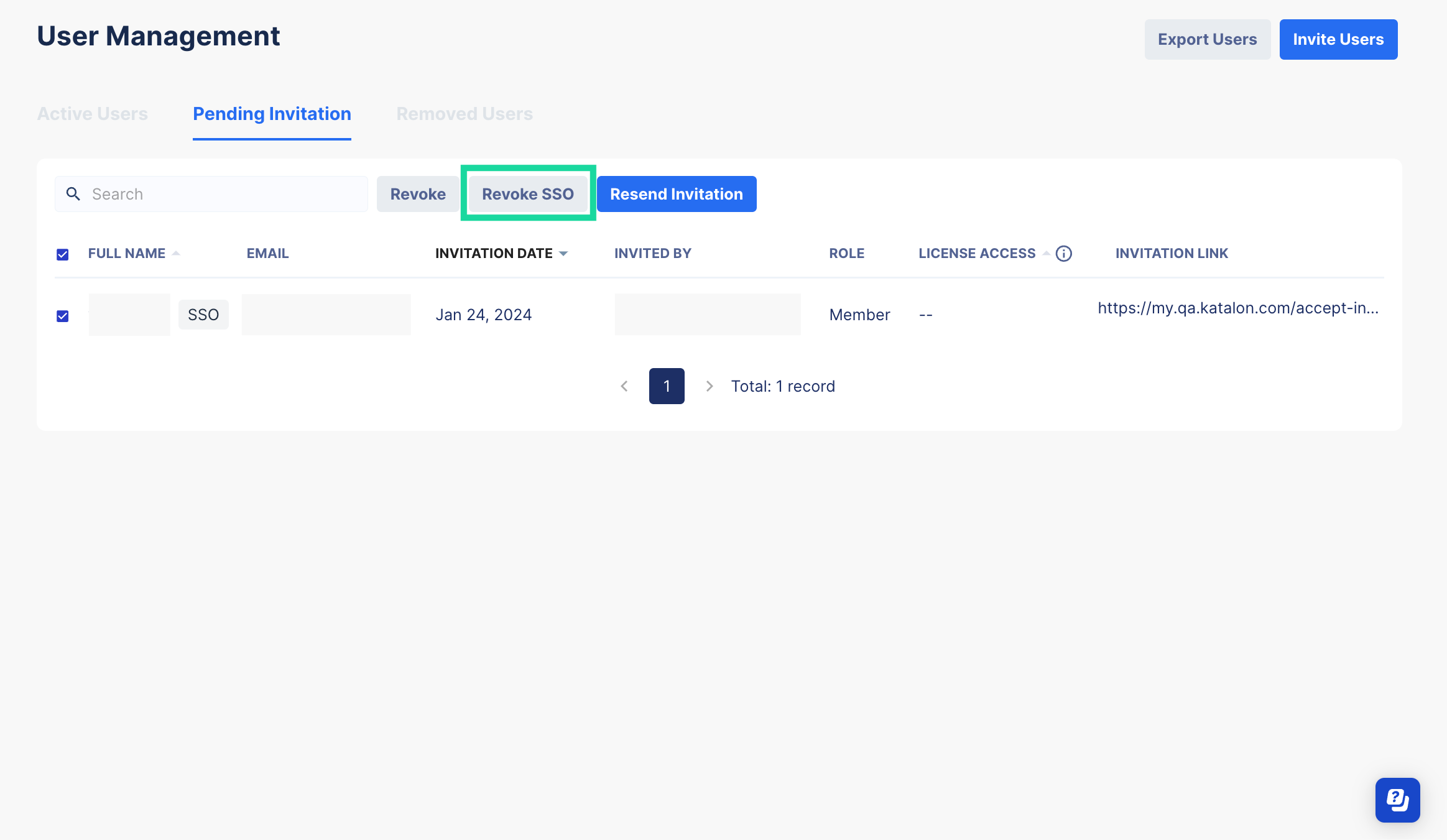
To revoke pending SSO requests for users who have not joined the Organization, follow these steps:
- Select the users with SSO invitations that you want to revoke, then click on the Revoke SSO button.
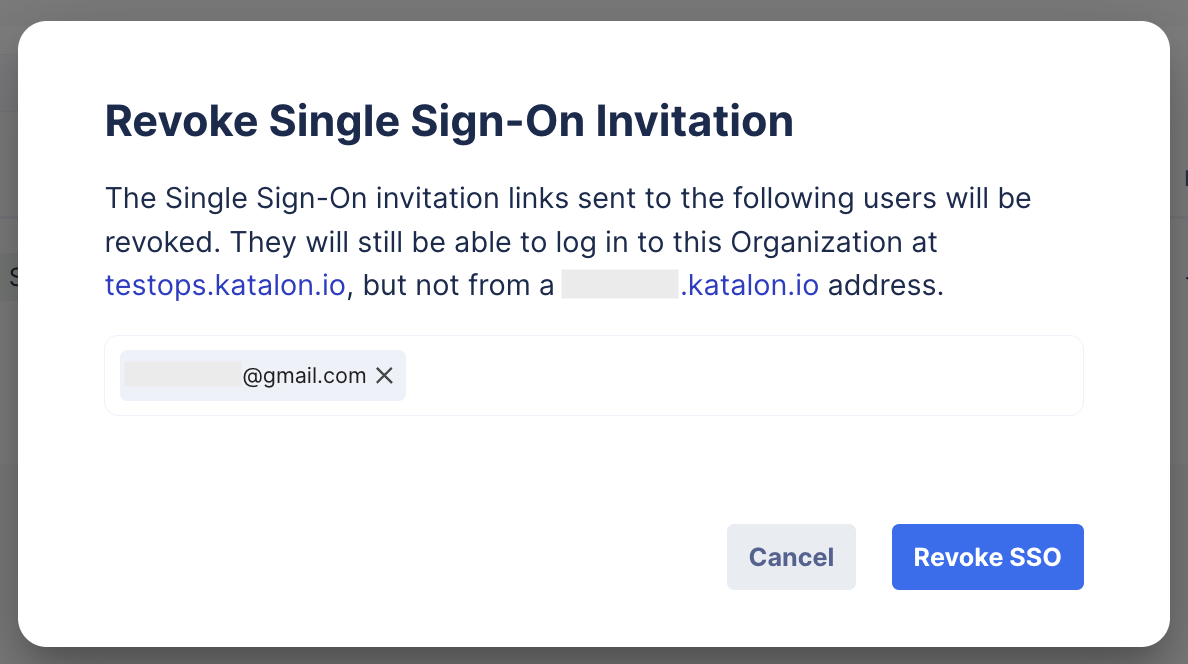
- In the Revoke Single Sign-On Invitation dialog, double-check the list of selected users, then click on the Revoke SSO button to confirm.
For existing users
To revoke pending SSO invitations for users who is already in your Organization, follow these steps:
- In the Active Users tab, navigate to the desired user's row, click on the three dots icon, and select Edit Login Options.
- In the Login Settings dialog, toggle off the Log in to [yourcustomdomain.katalon.io] by Single Sign-On option.You can deselect both options, then the users cannot log in to the custom domain either by SSO or username and password.