Enable Test Execution - Cloud integration in Katalon Studio
- You have an active Test Execution - Cloud license or trial.
- You have an active Katalon Studio license.
This document shows you how to set up Test Execution - Cloud integration in Katalon Studio.
-
In the Katalon Studio main toolbar, click the Katalon TestOps icon.

Alternatively, go to Project > Settings > Katalon TestOps Integration.
-
Select Enable Katalon TestOps Integration and Enable Katalon TestCloud Integration.
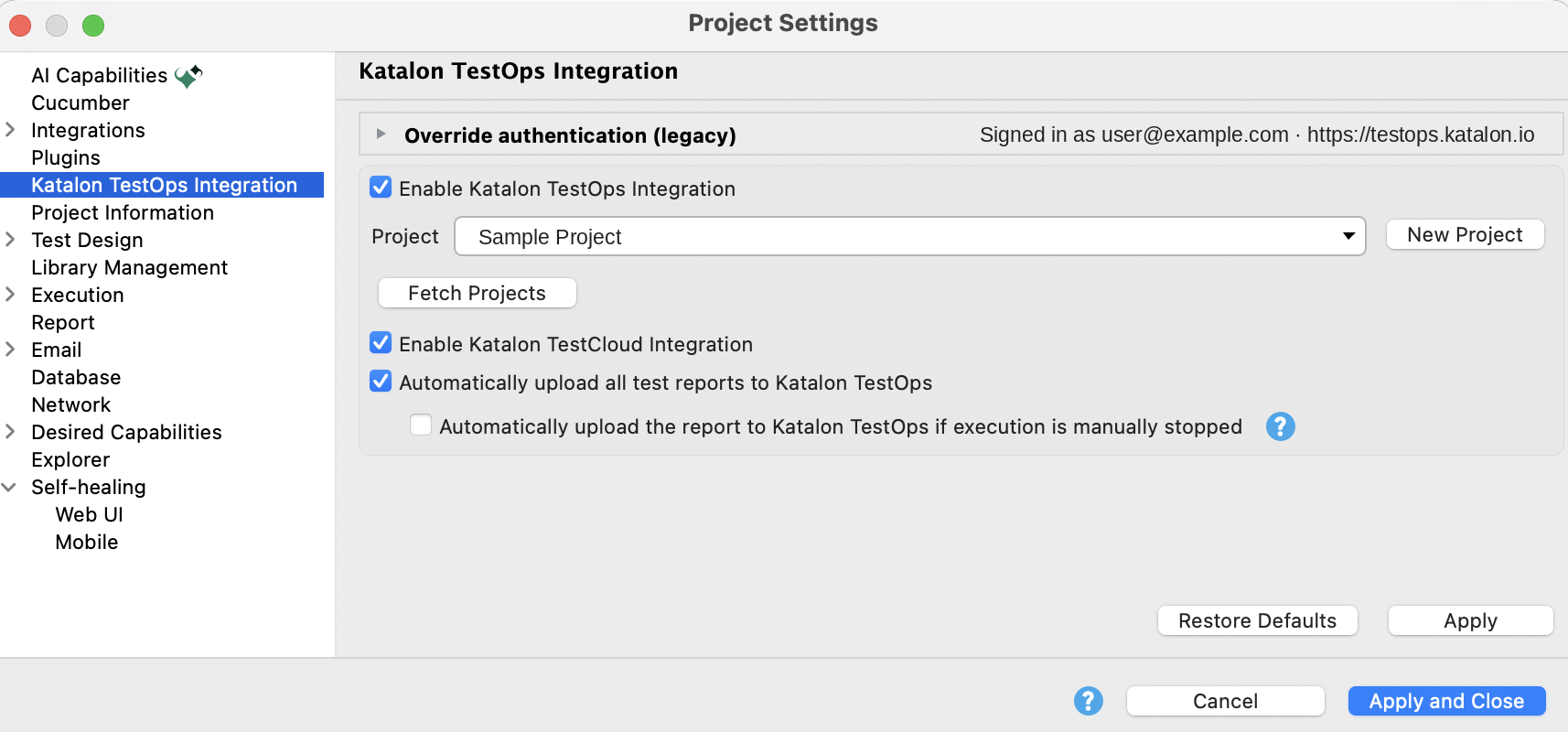
-
From the Project dropdown, choose your project. If the project isn't listed, click Fetch Projects.
To run tests on TestCloud, choose a project in an organization that has an active TestCloud subscription or trial.
-
Click Apply and Close.
To learn about the other options on this page, see Integrate Katalon TestOps and TestCloud with Katalon Studio.
Result
You can start running tests in Test Execution - Cloud environments: desktop browsers, mobile browsers, or mobile native apps depending on your subscription.
- An account needs at least 1 TestOps full license to enable the project for Test Execution - Cloud integration.
- In case your account doesn’t have a TestOps full license, please contact Katalon Support Team to grant you one.