Test Artifacts Sharing in Katalon Studio
Last updated: April 2026
Test artifacts sharing allows you to import and export test artifacts across Katalon Studio projects. These test artifacts include test cases, test objects, profiles, and custom keywords.
Requirements
- An active Katalon Studio license.
Export test artifacts
- From the main menu, click Tools > Utility > Export Test Artifact.
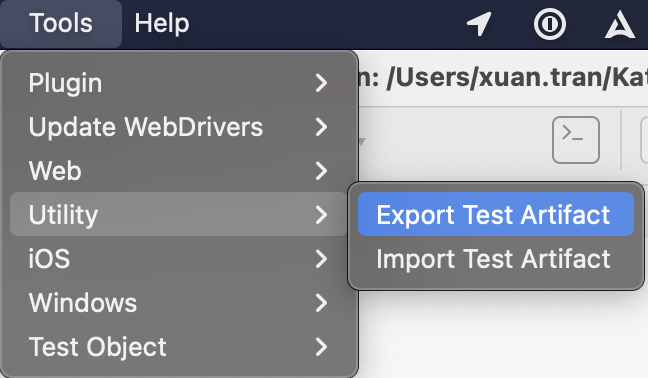
- In the Export Test Artifacts window:
- Add the test cases, test objects, profiles, and/or custom keywords that you want to export.
- Under Export Location, select the destination folder for the exported file(s).

- Click OK to export the selected test artifacts.
Import test artifacts
Note: You can only import test artifacts exported from Katalon Studio. The exported file name format is
shared-[timestamp].zip.
- From the main menu, click Tools > Utility > Import Test Artifact.
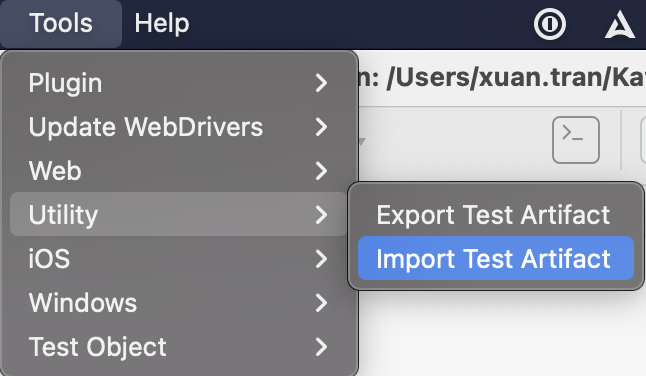
- In the Import Test Artifacts window, choose the file to import, test case import location, and test object import location.

- Click OK. Refresh Tests Explorer by right-clicking and selecting Refresh to view the imported artifacts in the specified locations.